 From my experience
Introduction
With the release of version 1.32.0 of the Action Button - Voice Automation app, the range of supported responses has been expanded. Prior to version 1.32.0, only audio responses were available (Content-Type: audio/*). Starting with version 1.32.0, the app supports the following text-based responses:
- Content-Type: text/plain
- Content-Type: application/json
In this example, I will focus on receiving text messages, specifically the transcription of audio to text.
Transcription with Make
Generate a transcription module from OpenAI will be used.
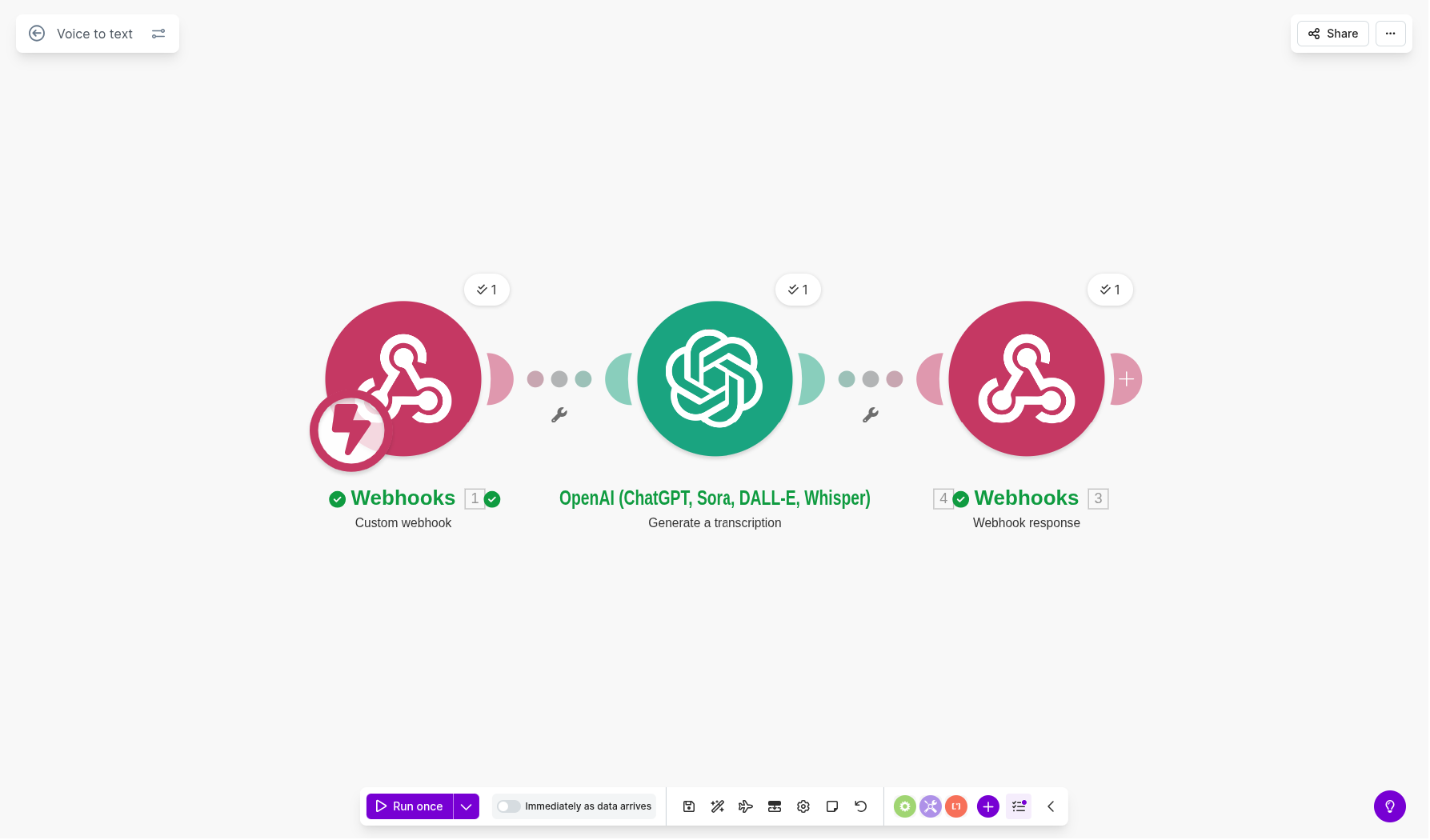
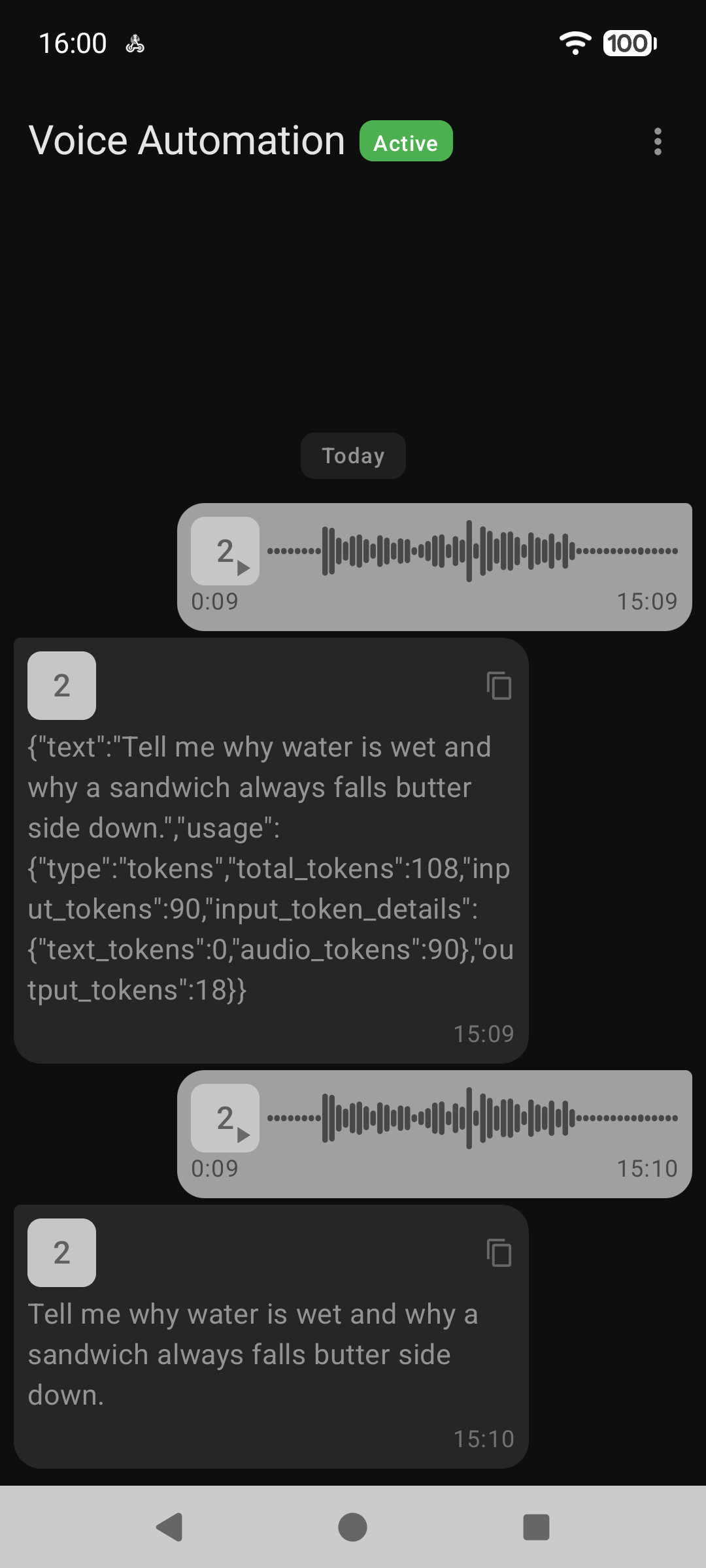
The catch is that the OpenAI module returns a data collection named "Text" rather than a plain text string. If we pass "Text" directly to the webhook response, we are effectively returning a JSON structure instead of the raw text itself. Make enables connecting data via drag‑and‑drop, but in this case there is no way to access the inner "text" field inside "Text" directly.
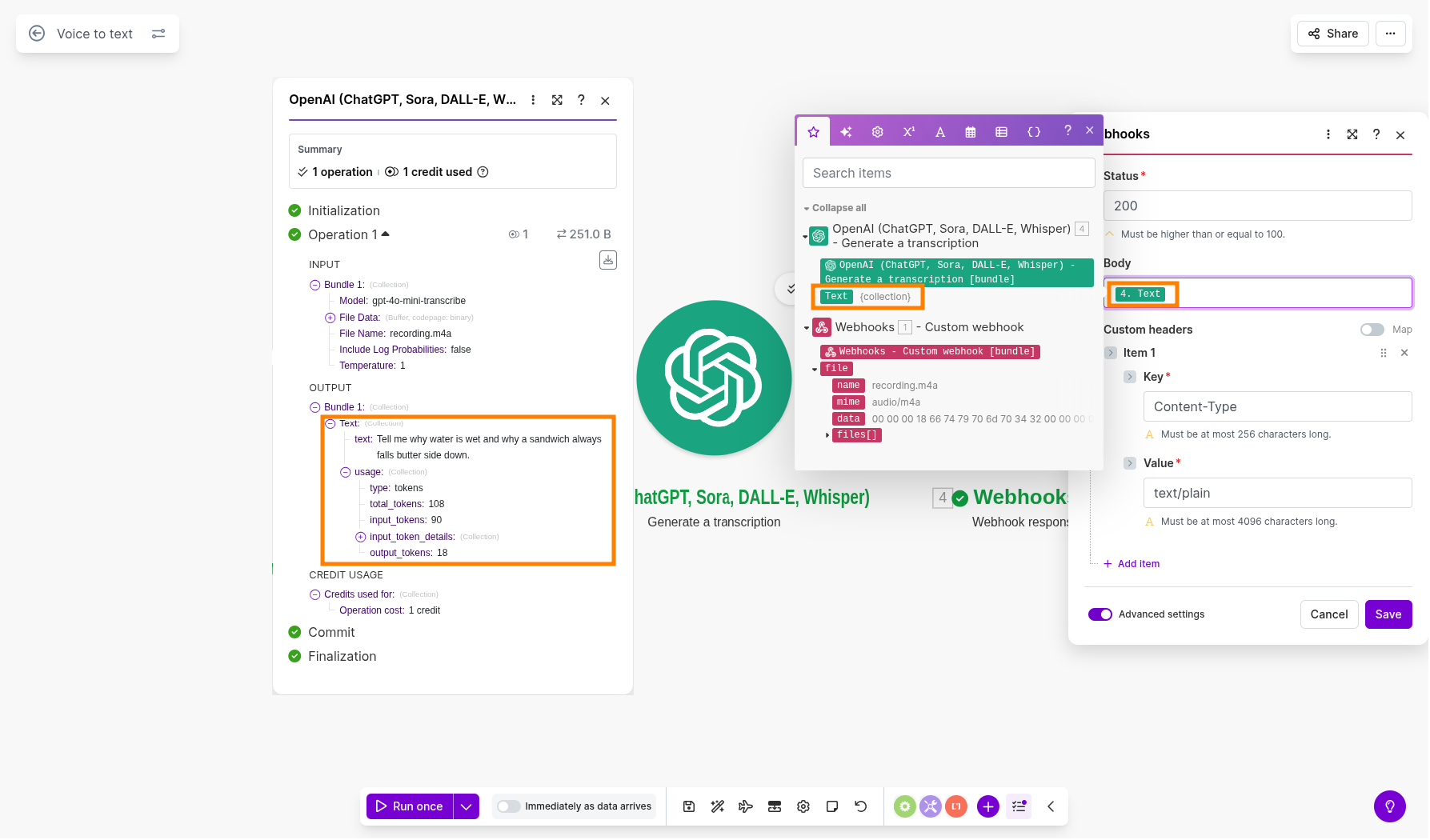
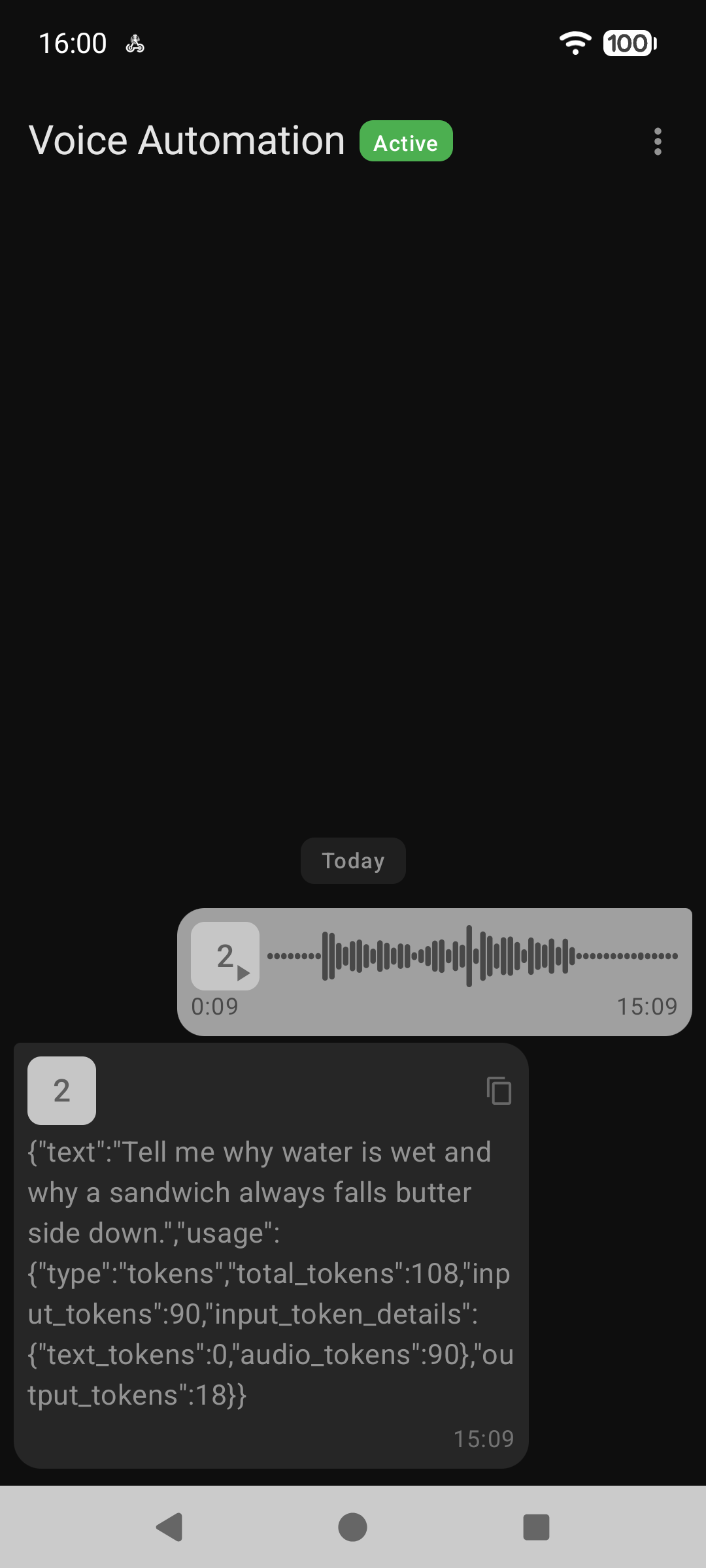
As a result, above configuration will cause the Voice Automation app to display the JSON itself instead of processing it as plain text (Content-Type: text/plain).
It is required to extract "text" from "Text" collection...
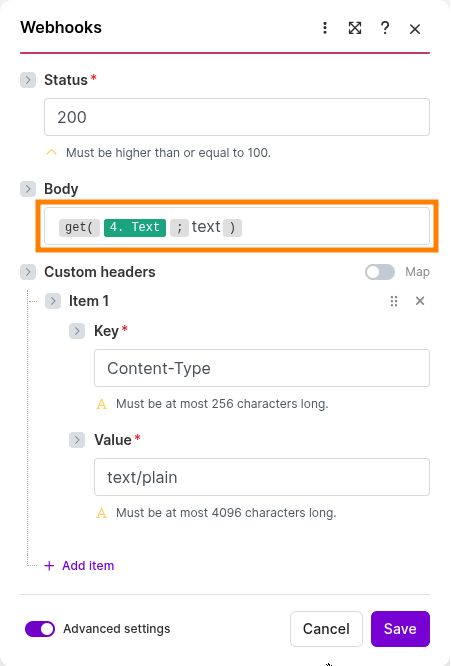
for the transcription to be properly displayed in the Voice Automation app.
Transcription with n8n
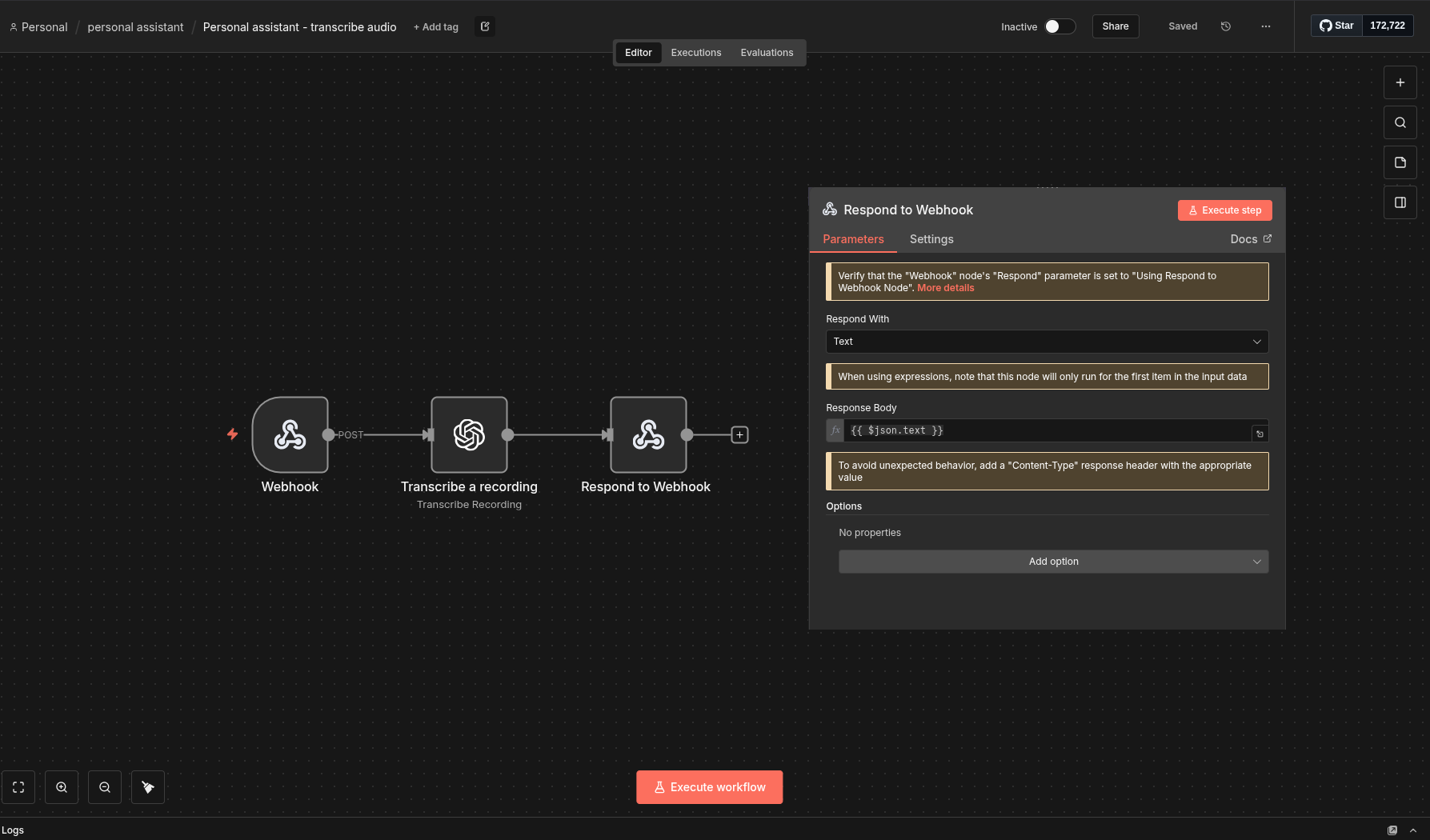
With n8n, the situation is a bit easier, because we can drag and drop a specific field (in this case text) directly into the target node.
Try it yourself
Download Make automation
Download n8n automation
Download Action Button - Voice Automation